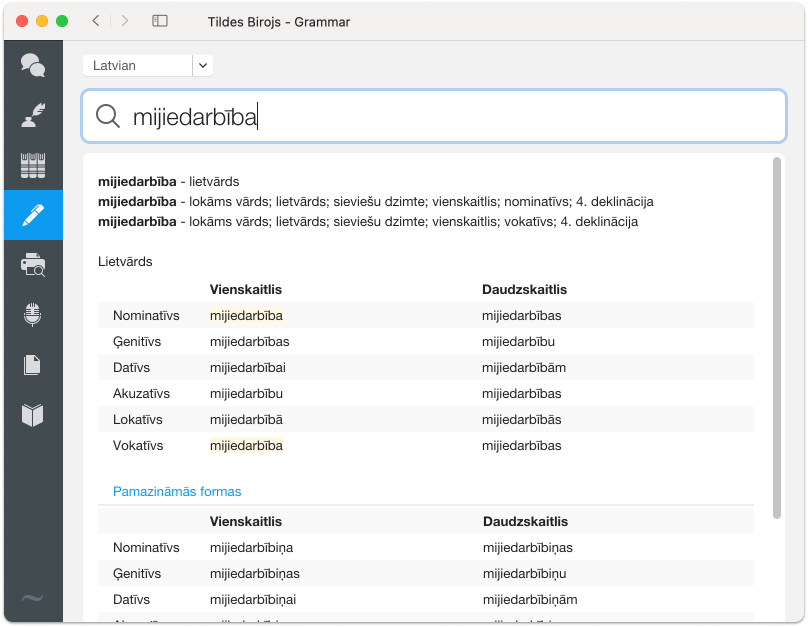
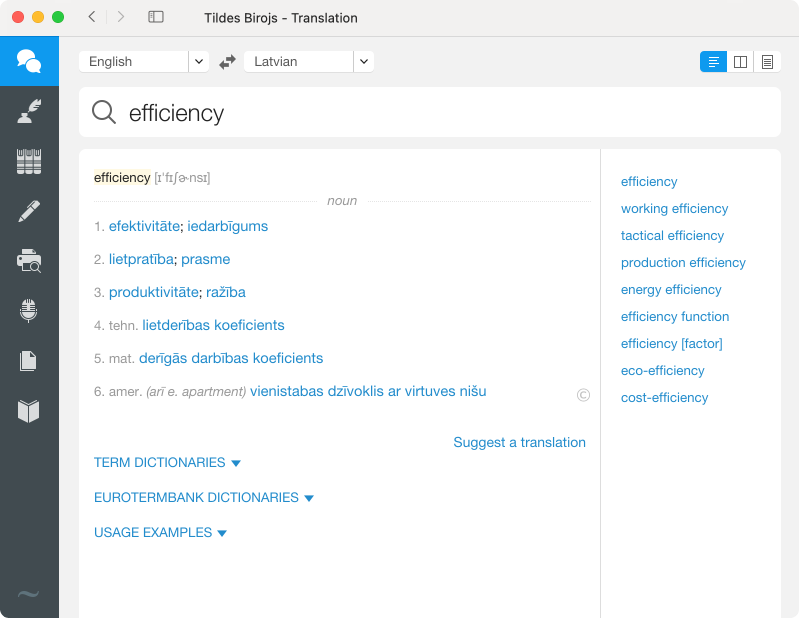
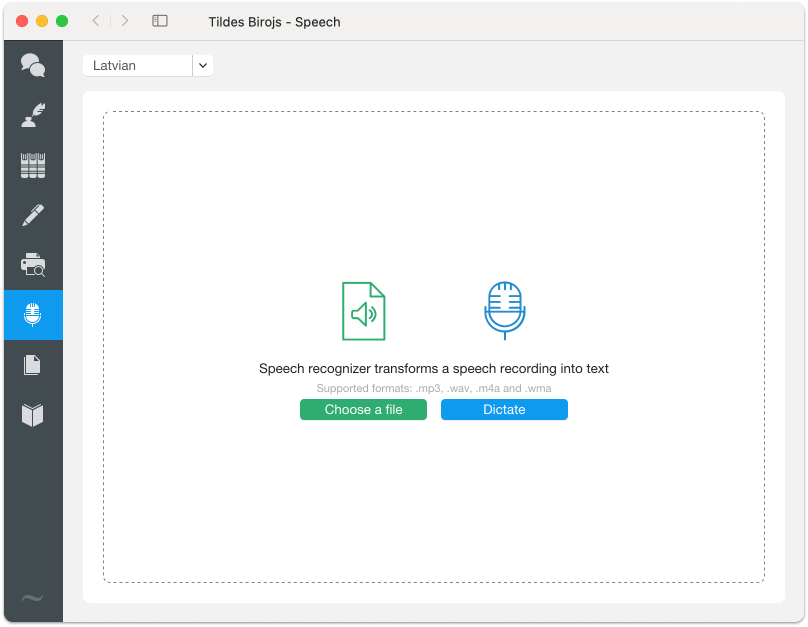
--- title: "Tildes Birojs" description: "Tildes Birojs Download Pricing FAQ Try for free on macOS Try for free on Windows Buy Price Download FAQ Try for free Buy Price Download FAQ Try for free Buy Tildes Birojs  language technologies for your productivity Grammar and spell check for Latvian, translating documents, voice-to-text conversion, encyclopaedias, thesaurus and many other tools together on […]" url: "https://staging.tilde.ai/lv/tildes-birojs/" date_modified: "2026-04-28T12:57:00+02:00" --- ![Icon_transcribe](https://staging.tilde.ai/wp-content/uploads/2024/05/Icons-1.svg) ## Tildes Birojs Download Pricing FAQ [Try for free on macOS](https://saas.tilde.com/store/en/product/trial/49?recurring=False) [Try for free on Windows](https://saas.tilde.com/store/lv/product/trial/34) [Buy](#price) Price Download FAQ Try for free​ Buy --- # Tildes Birojs  language technologies for your productivity Grammar and spell check for Latvian, translating documents, voice-to-text conversion, encyclopaedias, thesaurus and many other tools together on your computer  in Tildes Birojs. --- ## SPELL CHECK ## No more typing slip-ups - Check grammar and spelling in Latvian text - Find out the correct spelling and conjugation of any word [Try for free macOS](https://saas.tilde.com/store/en/product/trial/49?recurring=False) [Try for free Windows](https://saas.tilde.com/store/EN/product/trial/34) ![](https://staging.tilde.ai/wp-content/uploads/2024/06/Pareizrakstibas_riki.png) --- ![](https://staging.tilde.ai/wp-content/uploads/2024/06/Tulkosanas_riki.png) ## TRANSLATION TOOLS ## Easier, faster and more accurate translations - Translate terms using Latvian, English, German, Russian, French, Lithuanian, Estonian and Ukrainian dictionaries - Use Tilde translator for texts and documents (docx, pdf, pptx, xlsx, txt and other formats) --- ## Tildes Birojs  a trusted communication companion for +19.99 € annually - Ease of use in macOS or Windows environment - Suitable for individual use - Special offering for educational institutions [Try for free on macOS](https://saas.tilde.com/store/en/product/trial/49) [Try for free on Windows](https://saas.tilde.com/store/lv/product/trial/34) ![Biroja_zimejums](https://staging.tilde.ai/wp-content/uploads/2025/02/Biroja_zimejums.svg) --- ## TOOLS OF KNOWLEDGE ## Learn, read and explore - Thesaurus for enriched language - Read Latvian authors on your computer - Digital encyclopaedias for facts, explanations, terms and foreign words ![](https://staging.tilde.ai/wp-content/uploads/2024/06/Uzzinas_riki.png) --- ![](https://staging.tilde.ai/wp-content/uploads/2024/06/citi_riki.png) ## TRANSLATION TOOLS ## Language technologies for efficient work - Use voice recognition to convert audio files to text - Use the OCR tool to retrieve editable text from images --- For individuals Users Price without VAT Windows Mac Annual subscription 1 €19.99 Buy Buy For businesses Users Price Windows Mac Annual subscription Up to 5 €27.64 Buy Buy Annual subscription 6 – 30 €23.69 Buy Buy Annual subscription 31 and more €19.74 Buy Buy For individuals Annual subscription Users 1 Price with VAT €19.99 Windows Buy Mac Buy For businesses Annual subscription Users Up to 5 Price with VAT €27.64 Windows Buy Mac Buy For businesses Annual subscription Users 6 – 30 Price with VAT €23.69 Windows Buy Mac Buy For businesses Annual subscription Users 31 and more Price with VAT €19.74 Windows Buy Mac Buy ## * The number of users indicates the number of computers. For example, the price per licence for a total of 1 to 5 computers. --- ## Frequently asked questions What is Tildes Birojs? Tildes Birojs is software developed by Tilde that includes various language technologies for everyday use, such as grammar and spell check, Tilde translator for documents and text, term dictionaries, voice recognition tool, digital encyclopaedias and other tools. Tildes Birojs has been developed for users of the Latvian language and includes various features and tools to facilitate office work and document preparation in Latvian. What licence should I buy? A detailed description of licence types is available here. How much does Tildes Birojs cost? Individual users and legal persons receive different pricing for Tildes Birojs. See the pricing here. Do educational institutions get special discounts? Educational institutions get a 25% discount. To learn more about which organisations and institutions are eligible to purchase EDU versions of Tilde products, contact us here. What is activation? Activation is the registration of Tildes Birojs on a Tilde server in order to receive additional capabilities: upgrades and online services. Activation is required when using the online capabilities offered by Tildes Birojs  upgrades and Tildes Birojs registration. How to activate Tildes Birojs after reinstalling? Can the code be re-entered? Tildes Birojs can be activated after reinstalling as many times as necessary. However, the company Tilde is entitled to block product keys that are being distributed via piracy. My question was not answered. How can I contact support? E-mail us at atbalsts@tilde.lv or call +37167605001 Mo-Fri from 10.00 AM to 5.00 PM. How to register Tildes Birojs? Tildes Birojs can be registered electronically. To register Tildes Birojs, click the menu Registering Tildes Birojs in the Tildes Birojs application group. After registration you are entitled to free technical support and information regarding special offers and promotions. Does Tildes Birojs support 64-bit platforms? Tildes Birojs supports 64-bit Windows, 64-bit MS Office and 64-bit OS X. What is the start date of the Tildes Birojs subscription? The start date of subscription is the issue date of the licence. Will the client be notified about an ending subscription? At the end of the subscription period, users will be notified that in order to receive all updates, the subscription needs to be extended. What happens after the expiration date of the subscription? Tildes Birojs will cease to function. What are the technical requirements of this software? Microsoft Windows 8.1, Microsoft Windows 10 or later, Mac OS X 10.14 or latera computer with a 1.6 GHz or faster processor with at least 2 cores;at least 4 GB RAM (minimum 2 GB RAM);at least 1,2 GB of free hard disk space;Windows 10 or Windows 8.1 or later;MS Office 2013 and later or OpenOffice 4.1.1 or LibreOffice 4.4.3 for spelling and grammar checking;system administrator rights. Which applications does the spell check work on? Tildes Birojs spell and grammar check supports the following applications in the Windows environment: Microsoft Office, OpenOffice, LibreOffice. In the Mac environment, spell check is available on applications that use the OS X integrated grammar and spell check, as well as on the MS Office 2016 and 2019 applications. Grammar check in the Mac environment is available on applications that use the X integrated grammar and spell check for MacOS versions from Mac OS X 10.14 to Mac OS X 12.6. --- ## Download Tildes Birojs Download Tildes Birojs and enter your activation key during installation. The key is a string of letters and numbers that you will receive in an email after purchasing Tildes Birojs or you can read on the licence. [Download for macOS](https://dzq8e1vp3fil9.cloudfront.net/TildesBirojs.pkg) [Download for Windows](https://saas.tilde.com/bb7_updateinfo/downloads/Tildes%20Birojs%202016%20setup.exe)